
/ Find & Monitor /
Every screen you run, in your pocket.
SpinetiX Find & Monitor finds the players on your network, shows you what each one is putting on screen at this moment, and sends a push notification when a player goes dark, runs hot or fills its storage. Three players are free. If you run three thousand, the app works exactly the same way.
Free for up to 3 players. Local discovery works without an account.
A network scanner and a health watch, on the device you already carry
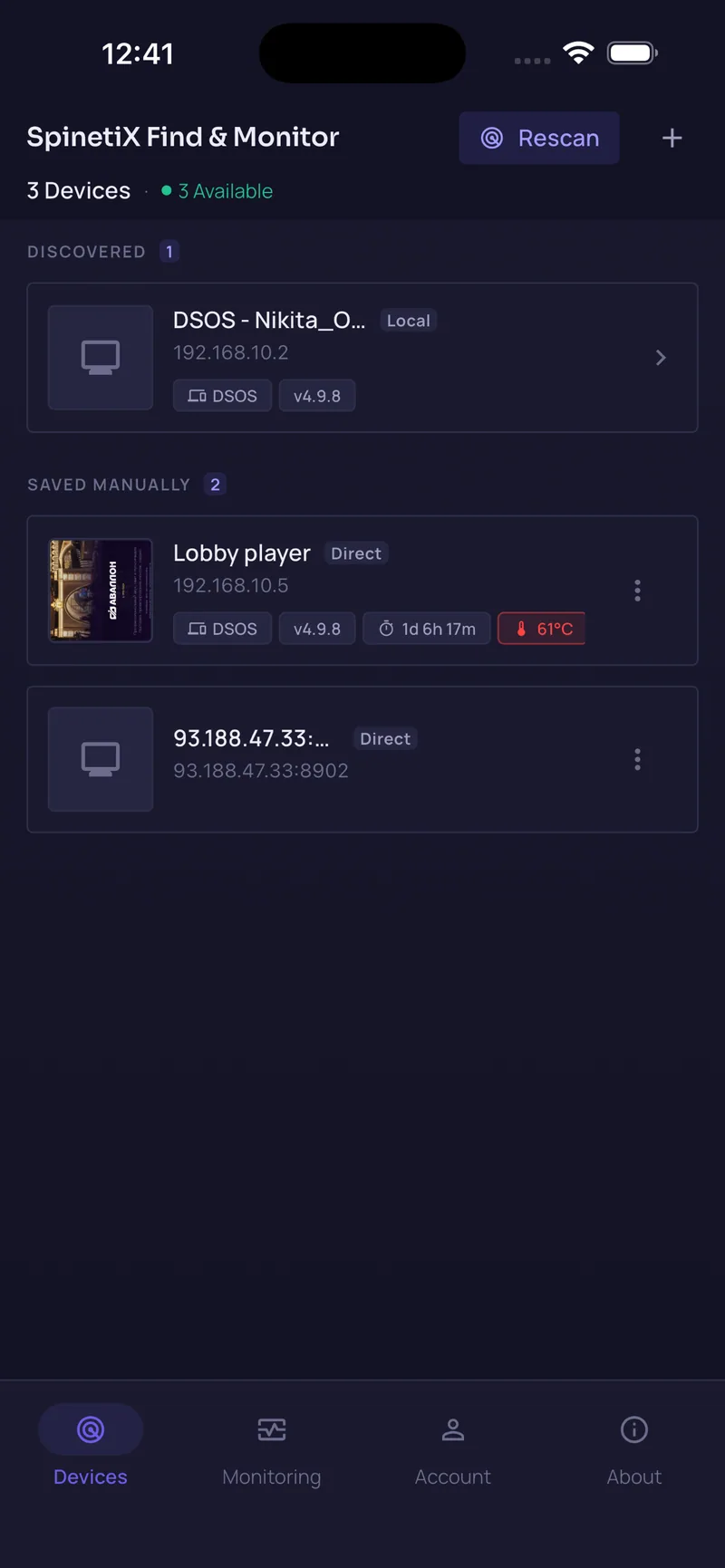
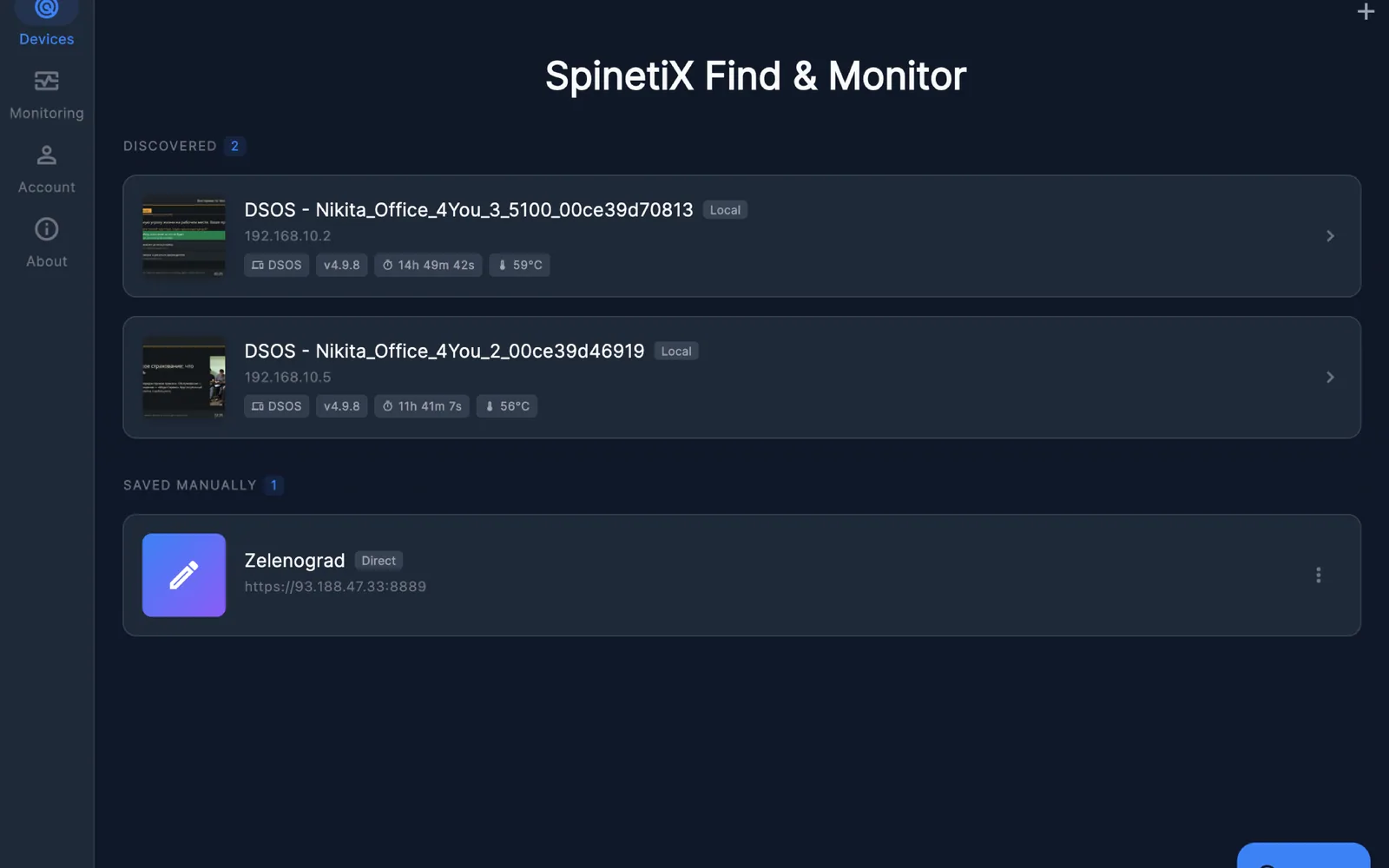
Point the app at a network and it lists every SpinetiX player it can reach. Open one and you get its status, uptime, temperature, firmware, storage and a screenshot of the frame it is showing right now. Switch monitoring on and it keeps checking the players you saved, then pushes a notification the moment a reading crosses a threshold you set.
Nothing is installed on the players. Local discovery reads the web API DSOS already exposes, and cloud monitoring uses the concentrator field the player already has. There is no console to log into and no server of yours to keep alive.
What a player tells you, and what makes your phone buzz
How many of your screens could go dark on a Friday evening before anyone noticed? That question is the whole reason this app exists.
On the card and in the detail view
- Online or offline, with the offline chip on the card itself
- Uptime since the last boot
- Temperature in °C
- Model and firmware version
- Storage used against total
- Processor and graphics load
- Whether the player has dropped into safe mode
- A live screenshot of the frame on screen
- One tap through to that player's Control Center
The three things that raise an alert
- Offline. A player you saved stops answering.
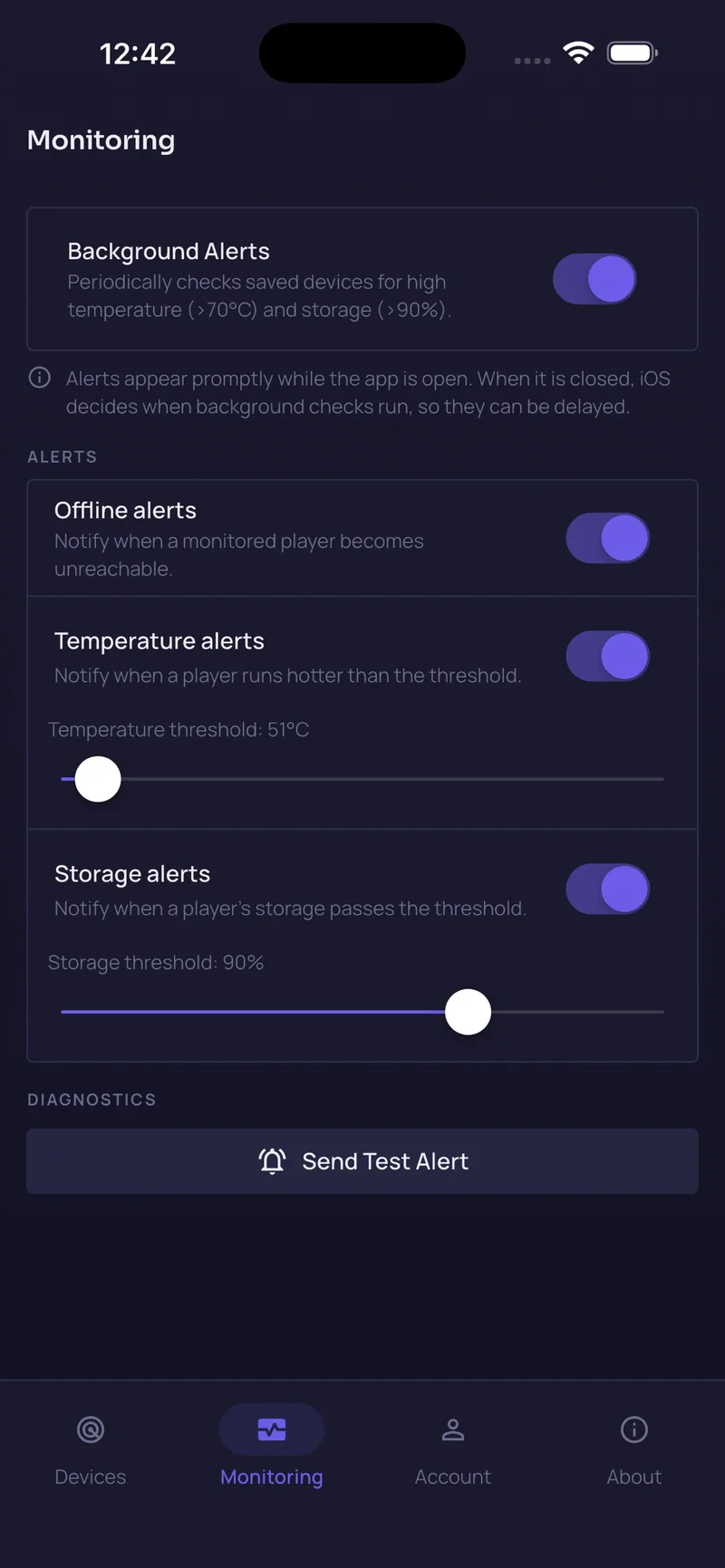
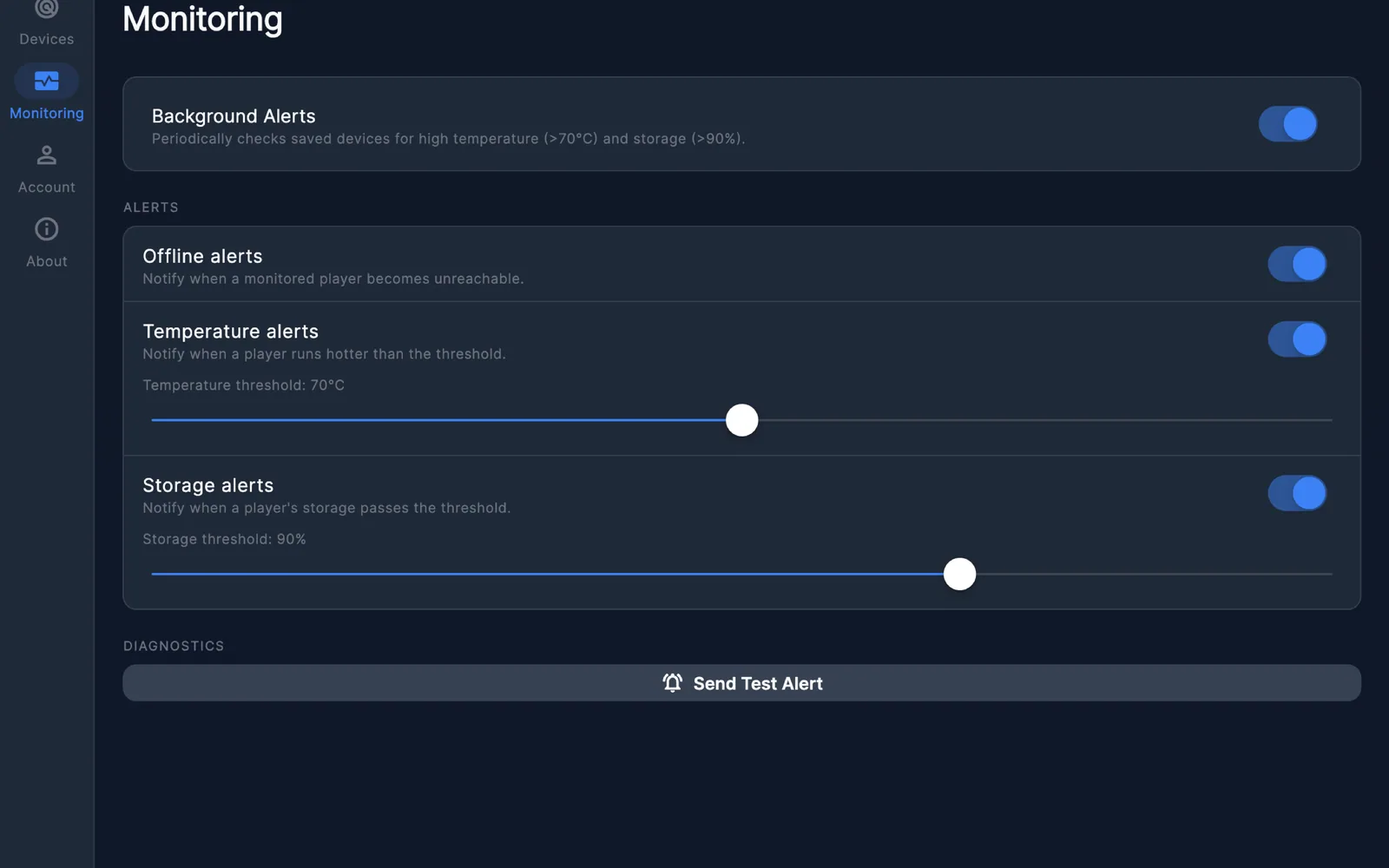
- Temperature. A reading passes the °C ceiling you set.
- Storage. Used space passes the percentage you set.
Each alert is a switch and a slider, so a fanless player in a ventilated rack and a sealed outdoor totem can be judged by different numbers. A fired alert is damped for 12 hours and re-arms only after the reading has actually come back down.
Three players free, then one price for the whole fleet
There is no per-player charge above the free tier. Forty players and four thousand cost the same.
Opens with a 7-day free trial. The trial is run by the App Store or Google Play, not by us, and it is cancelled in your store account.
A one-time purchase with nothing to renew. Same features as the annual plan.
iPhone, iPad and Mac share one universal purchase on the same Apple Account. Google Play is a separate store with its own billing.
The app, on the screens it runs on
Questions people ask before they install it
Will it find players on a VLAN where multicast is blocked?+
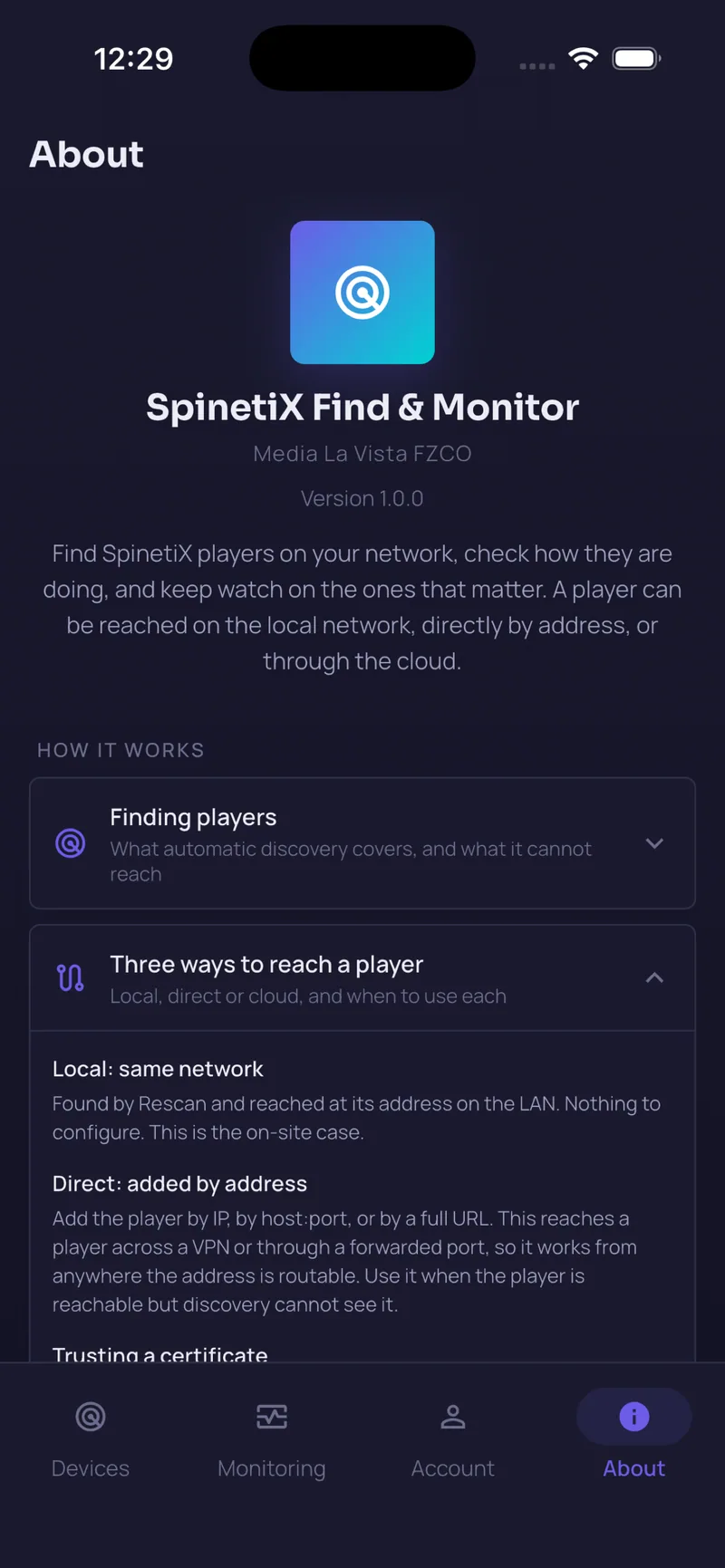
Usually, yes, and that is why discovery runs three ways instead of one. SSDP multicast goes out first. Then the app sweeps the local /24 by opening TCP 80 and 443 on each host and asking whatever answers for its /info page. mDNS runs as a third pass. The sweep stays inside private address ranges and is capped at 1024 hosts, so a mistyped /8 returns nothing rather than crawling the internet. A player on a different subnet altogether is added by IP, by host:port or by full URL.
Can I check my players when I am not on the same network as them?+
Two routes. If the player is reachable over a VPN or a forwarded port, add it by address and the app talks to it directly. If it sits behind NAT with nothing forwarded, register it for cloud monitoring: the player dials the monitoring service on its own, outbound, so nothing has to be opened on the firewall.
Does the app store my player administrator passwords, and where do they go?+
They stay on the device that entered them. Credentials are written to the Keychain on iPhone, iPad and Mac, and to Keystore-backed encrypted storage on Android. They are excluded from the record that syncs to your account, so they never reach our servers, our backups or any third party. Your saved player list does sync, so the same players show up on your other devices, but the passwords do not travel with it.
What happens to alerts when the app is closed?+
On Pro, two mechanisms keep running. Local monitoring asks the operating system for background time and probes the players you saved. Cloud monitoring runs on the monitoring service instead, so an alert is raised whether or not your phone has done anything, and it arrives as a push notification. A fired alert is not repeated for 12 hours unless the reading recovers first, so one sick player cannot bury the rest of your notifications.
Why do background checks behave differently on iPhone and Android?+
Android schedules periodic background work roughly every fifteen minutes and honours it fairly predictably. iOS treats the same request as a hint: the system decides when the app gets to run, which can be hours later, or not at all until you have used the app enough for iOS to trust it. That difference is the reason cloud monitoring exists, and it is the path we recommend for anything you genuinely need to be told about.
Can I monitor a player that is already connected to 123CMS?+
Not through cloud monitoring. A SpinetiX player has a single concentrator field, and it points either at 123CMS or at this app's monitoring service, never at both. Players already managed by 123CMS keep their monitoring there. You can still open them in the app over the local network or by direct address, since neither of those modes touches the concentrator field.
How many players can I add, and what does Pro cost?+
The free tier holds three saved players and needs no purchase. Pro removes the limit, and there is no per-player charge above it, so a fleet of forty and a fleet of four thousand cost the same. Pro Annual is USD 29.99 per year and opens with a 7-day free trial handled by the store. Pro Lifetime is USD 69.99 once, with nothing to renew.
I bought Pro on my iPhone. Does it work on my Mac too?+
Yes. iPhone, iPad and Mac share one universal purchase, so buying on any of them covers the others as long as you are signed in with the same Apple Account. Google Play is a separate store with its own billing, so an Android purchase is made and restored there.
Which SpinetiX firmware does it work with?+
The app reads the player's own Status API over HTTP or HTTPS and does not depend on one particular release. The current build is tested against DSOS 4.9.8. Cloud monitoring uses the concentrator field in the player's configuration, the same mechanism 123CMS uses. In practice, if a player answers a request to /info, the app can read it.
How do I delete my account and everything stored with it?+
Open the Account tab and choose Delete Account. That purges the cloud devices and push tokens held against your account on the monitoring service, then deletes the account itself. If you would rather do it by mail, write to welcome@medialavista.ae from the address you signed up with. Retention periods and the full list of what is held are in the app privacy policy.
How it works, technically
If you are the person who has to sign off on what this app does on your network, this is the short version. The longer version, including retention periods and every processor involved, is in the app privacy policy.
- Discovery
- SSDP M-SEARCH multicast; a bounded TCP sweep of the local /24 on ports 80 and 443, followed by an /info request to anything that answers; and an mDNS pass. Three methods because each one fails differently: multicast is filtered on many segmented networks, the sweep only covers the subnet the phone is on, and mDNS depends on the player advertising itself. Every candidate from every method is confirmed by its /info reply, so a printer listening on port 80 never surfaces as a player.
- Probing a player
- Plain requests to the player's Status API at /info and to its snapshot endpoint, with whatever credentials you saved for it. Self-signed certificates are accepted only for hosts inside private ranges. A player reached over a public address has to present a certificate you pinned in the app yourself, and the pin is stored per host and port.
- What stays on the device
- Administrator credentials, in the Keychain on Apple platforms and in Keystore-backed encrypted storage on Android. Scan results, probe readings and the local monitoring history stay there too and are discarded as they age out.
- What goes to the cloud
- Your saved player list, in Firestore under your account identifier, with credentials excluded at the security-rule level. For players you enrol in cloud monitoring, their telemetry goes to Media La Vista's own monitoring service on servers in Helsinki, Finland. Nothing else leaves the phone.
- Local monitoring
- The app opens the connection. Android WorkManager schedules a periodic run about every fifteen minutes; on iOS the same job is a BGAppRefresh request that the system schedules on its own terms. Each run probes the players you saved and applies the identical threshold rules the foreground poller uses, so an alert cannot fire in one place and stay silent in the other.
- Cloud monitoring
- The player opens the connection. It polls the monitoring service outbound from inside your network, which is why no inbound port, no VPN and no static address is needed. The service parses each report, recomputes whether the player is still answering, and evaluates the thresholds your app pushed to it.
- Alert logic
- Three conditions: offline, temperature above your threshold, storage used above your percentage. A fired alert is damped for 12 hours. It re-arms once the reading has come back below the threshold by a margin, which stops a player parked exactly on its limit from alerting on every single check.
- Push delivery
- APNs on Apple platforms, FCM on Android, addressed to a token registered against your account. The notification text is composed in the language your app is set to, not in the language of the server.
Infrastructure for smart media installations. The company that knows everything about managing networks with thousands of screens and media infrastructures with zero right to make a mistake. Media La Vista, SpinetiX Master Distributor for the Middle East
Three players cost nothing, and the scan takes about as long as reading this sentence. If you are weighing it up for a fleet, or you want cloud monitoring set up on players that sit behind NAT, write to welcome@medialavista.ae.